

How a Stand Up Desk Can Improve Your Daily Work Routine
A productive workday is shaped by small decisions repeated between meetings, focused tasks and breaks. Your workstation can influence how easily you move between them. A height-adjustable desk lets you alternate between sitting and standing rather than remaining in one position for hours. It does not replace movement, a supportive chair or sensible screen positioning, but it can make your workspace more adaptable. With a suitable setup and realistic habits, it can become a useful part of a varied daily routine.
Make Everyday Work More Adaptable with the Best Standing Desk
Choose a desk that suits your actual tasks. Writing, spreadsheets, calls and creative work may require different arrangements. A height-adjustable surface lets you change the working level without moving to another table. You might sit for detailed keyboard work, stand during a planning session and lower the desk again for a longer task.
This flexibility can also help in shared workspaces. Different users can select their preferred heights, provided the adjustment range suits everyone. Before buying, consider desktop area, frame stability, height range and the weight of your equipment.
Use an Electric Standing Desk to Make Position Changes Simple
Electric adjustment raises or lowers the desktop at the touch of a control. Some models include memory buttons for frequently used positions, making transitions convenient when you change posture several times a day.
Compare motor noise, lifting speed, weight capacity and warranty information. Keep the area around the desk clear, and route cables with enough slack to prevent snagging. A cable tray and clips can keep leads tidy without restricting movement.
Set a Comfortable Routine Around a Height Adjustable Desk
There is no single sitting-to-standing schedule for everyone. Begin with manageable changes: stand during a short planning session, sit for concentrated writing and take a walk after a call. Adjust the pattern according to comfort and the demands of each task.
Use reminders as prompts, not strict rules. The aim is to avoid staying still for too long, not to replace one fixed posture with another. Short walks and regular breaks away from the screen remain important.
Fine-Tune Your Position with an Electric Adjustable Desk
Correct positioning helps make both sitting and standing more comfortable. When seated, support your feet and relax your shoulders, with elbows near keyboard level. When standing, distribute your weight comfortably, keep your knees relaxed and avoid leaning over the desktop. Keep your wrists in a natural position.
Place the monitor in front of you at a distance that allows comfortable reading without leaning forward. A monitor arm can simplify adjustments. For extended laptop use, consider a riser and separate keyboard and mouse so the screen and hands can be positioned independently.
Make the change part of an existing activity. For instance, raise the desktop before a scheduled call or stand while reviewing a short checklist. Linking the adjustment to a familiar task makes it easier to remember without relying on constant notifications.
Organise Complex Tasks with a Standing L Desk
An L-shaped configuration can help people who switch between computer work and paperwork. One surface can hold the monitor and keyboard, while the return provides space for documents or equipment used less often. Separate zones reduce repeated rearranging and help keep the main work area clear.
Measure the room first, including the desk footprint, chair movement, doors and walking routes. Check which side the return occupies and make sure the frame supports the intended desktop configuration.
Bring Structure to a Larger Office with Executive Standing Desks
A larger workstation may suit roles involving documents, multiple displays and video meetings. Give each area a purpose: keep everyday equipment within reach, store occasional-use items nearby and leave clear space for writing. A consistent arrangement makes transitions between tasks easier.
For video calls, position the camera near eye level and use front-facing light where possible. Check that monitor arms and accessories do not obstruct movement or reduce legroom.
Choose a Finish That Works with Standing Desk Wood
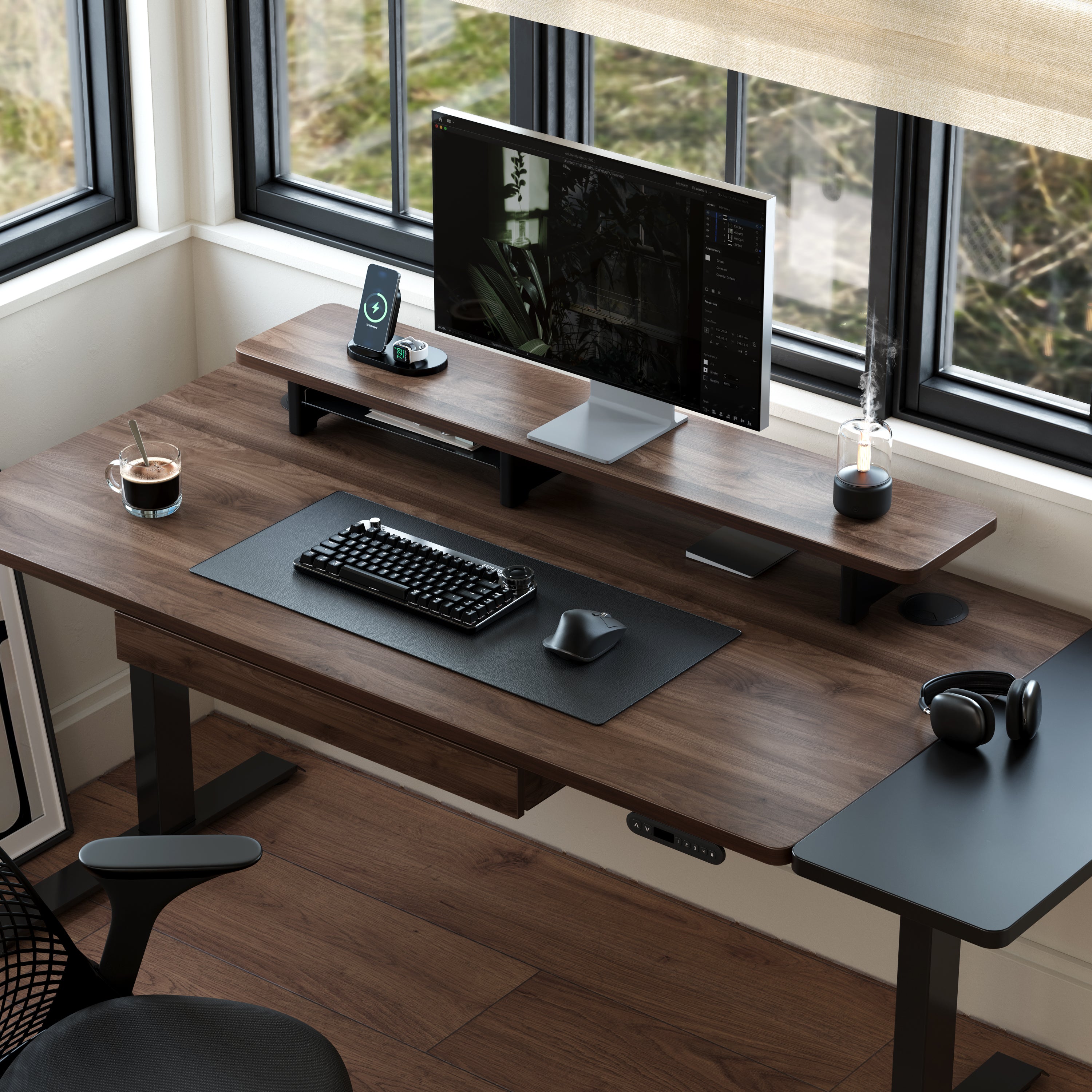
A wood finish can bring warmth to a home or professional interior and coordinate with shelves or flooring. Compare construction as well as colour: solid timber, veneer and wood-effect laminate have different characteristics and care requirements. Follow the maker's cleaning guidance, protect the surface from spills and consider a desk mat for high-contact areas.
Confirm that the desktop is compatible with the lifting frame and suitable for your equipment. A heavier or thicker top will not necessarily work with every base.
What to Check When Comparing a Vernal Standing Desk
When researching a Vernal model, compare the specific product information with your room and tasks. Check dimensions, height range, lifting capacity, frame compatibility and controls. Review assembly guidance, warranty coverage and whether accessories are sold separately. Configurations can differ, so use the specifications for the exact model.
Make the Desk Part of a Better Working Rhythm
A desk alone cannot guarantee a more productive day. Its value comes from how you use it: arrange equipment thoughtfully, alternate positions when useful, take movement breaks and keep the surface organised. Start with one or two changes and refine the setup after a week. Moving a monitor or relocating a frequently used item may make the routine easier.
It is also worth checking the desk periodically. Tighten fittings as directed by the manufacturer, inspect cable routes and remove objects from the movement path. Small maintenance habits help keep the workspace orderly and ready for daily use.
Ultimately, a stand-up workstation should support your tasks rather than dictate them. Choose a stable model that fits the room, set it to comfortable heights and build variation into the day gradually. The result can be a more flexible workspace from the first task of the morning to the final check before signing off.